SEO does not have to be expensive. When I started my first blog in 2018, I had exactly zero dollars to spend on tools. Everything I learned about search optimization came from free resources and free tools. Even now, with multiple websites generating revenue, I still rely heavily on free SEO tools for day-to-day tasks.
The truth is that most bloggers do not need premium subscriptions to improve their rankings. Free tools cover the majority of what you need: keyword research, content optimization, technical audits, and performance tracking. What matters more than the tool itself is how you use it.
This guide covers the free SEO tools I personally use and recommend. Every tool listed here has been tested on my own websites over the past several years. I am not listing tools just because they are popular. I am listing them because they actually work.
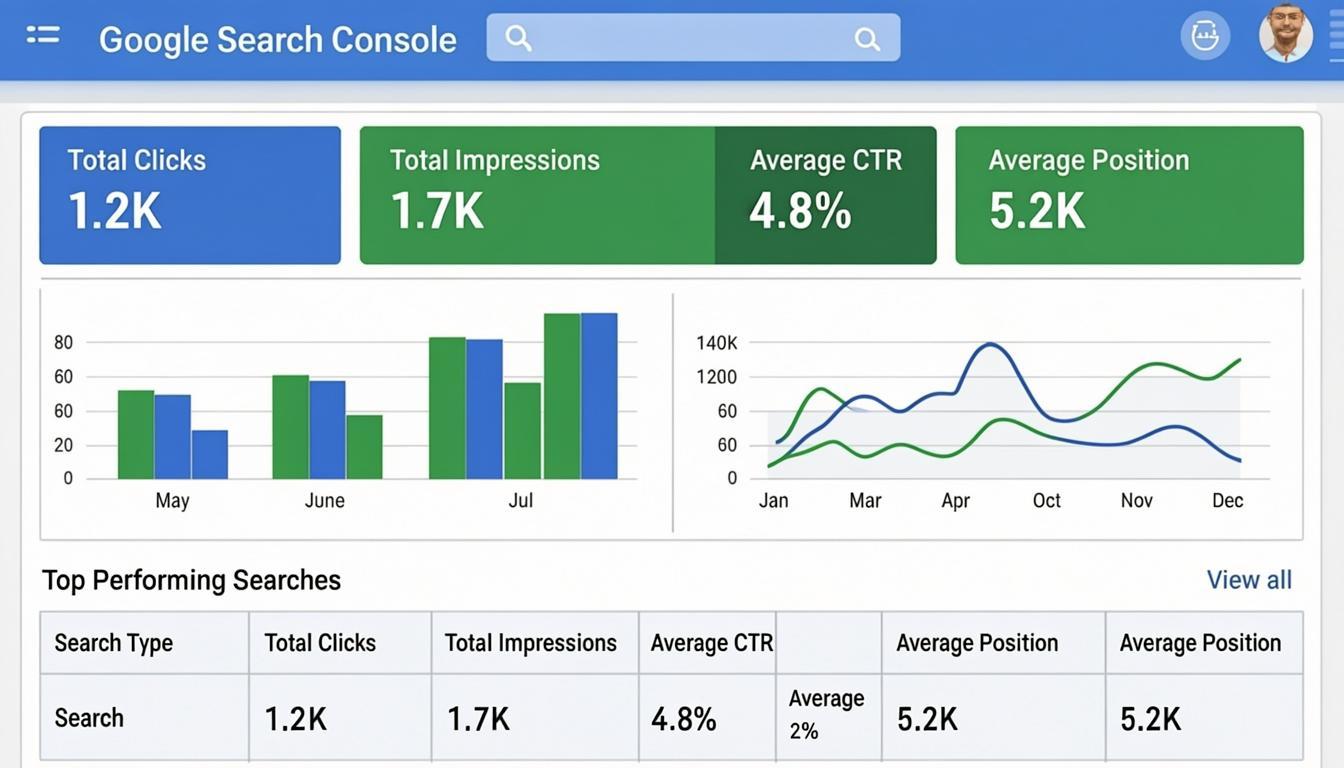
Google Search Console: The Non-Negotiable Free Tool
If you only use one SEO tool, make it Google Search Console. This is the only tool that shows you exactly how Google sees your website. No third-party tool can match the data it provides because it comes directly from Google's indexing system.
What it tells you: Which keywords your site ranks for, how many clicks and impressions each keyword gets, your average ranking position, and which pages have indexing issues.
How I use it: Every week, I check the Performance report to see which keywords are gaining or losing traction. If I notice a page dropping in rankings, I investigate why. Sometimes it means the content needs updating. Other times, a competitor published something better.
Setup takes five minutes: Add your property, verify ownership through your domain registrar or DNS record, and submit your sitemap. Within a few days, data starts flowing in.
One thing most bloggers miss is the Coverage report in Search Console. It shows you which pages Google has indexed and which ones it cannot access. I have found pages that were sitting unindexed for weeks simply because of a crawling issue. Fixing those issues directly led to more traffic.
Google Analytics 4: Understanding Your Traffic
While Search Console tells you about search performance, Google Analytics 4 tells you about user behavior. Together, these two free tools give you a complete picture of your site's performance.
What it tells you: How many visitors you get, where they come from, how long they stay, which pages they visit, and what actions they take before leaving.
How I use it: I pay close attention to two metrics. First, the bounce rate by page. If a page has a high bounce rate, it usually means the content does not match what searchers expected. Second, the average engagement time. Low engagement often indicates thin content that needs to be expanded.
GA4 has a steeper learning curve than the old Universal Analytics, but the data it provides is more accurate for understanding user journeys. I recommend spending an hour watching Google's official GA4 training videos. It is time well spent.
When I was setting up analytics for my niche websites, I realized that understanding traffic patterns helped me decide which topics to write about next. If a topic related to making money online was getting unexpected traffic, I would create more content around that theme.
Ubersuggest: Free Keyword Research That Actually Works
Keyword research does not have to cost $100 per month. Ubersuggest by Neil Patel offers a generous free tier that gives you enough data to find profitable keywords for your blog.
What it tells you: Search volume, keyword difficulty score, content suggestions, and competitor analysis. The free tier gives you three searches per day, which is enough for strategic planning.
How I use it: I start by entering a broad topic related to my niche. Ubersuggest shows me hundreds of related keywords with their search volume and difficulty. I filter for keywords with a difficulty score below 30 and search volume above 1,000. These are the sweet spot keywords that a new or growing blog can realistically rank for.
The Content Ideas tab is particularly useful. It shows you which pages are currently ranking for your target keyword and estimates their backlinks and social shares. This helps you understand what it takes to compete.
If you want to dive deeper into how AI tools can supplement your keyword research, I put together a comprehensive comparison of AI SEO tools that covers both free and paid options for every stage of the optimization process.
AnswerThePublic: Finding What People Actually Ask
One of the most overlooked aspects of keyword research is understanding the questions your audience is asking. AnswerThePublic visualizes search queries as questions, prepositions, and comparisons. This tool is a goldmine for finding content ideas that directly address reader needs.
What it tells you: Questions people search for related to your keyword, alphabeticals searches, and related comparisons. The visual format makes it easy to spot patterns.
How I use it: Before writing any blog post, I plug my target keyword into AnswerThePublic and look at the questions section. Each question becomes a potential subheading in my article. This ensures my content answers the exact questions people are typing into Google.
For example, if you are writing about blogging tools, AnswerThePublic might show questions like "What is the best free blogging platform?" or "How do I start a blog with no money?" These questions become natural H2 or H3 headings in your article.
Google Trends: Spotting Rising Topics Before Competitors
Google Trends shows you whether a topic is gaining or losing interest over time. This is invaluable for deciding what to write about next. Writing about a trending topic before your competitors do gives you a significant head start in rankings.
What it tells you: Search interest over time for any keyword, regional interest breakdown, and related queries that are currently trending.
How I use it: When I am planning my content calendar, I check Google Trends for topics in my niche. If I see a steady upward trend, I prioritize that topic. If I see declining interest, I might skip it or approach it from a different angle.
The "Related Queries" section is particularly powerful. It shows you searches that have grown significantly in the past 30 days. These represent emerging topics that most bloggers have not written about yet.
PageSpeed Insights: Technical SEO Made Simple
Page speed is a ranking factor, and Google has been increasingly transparent about this. PageSpeed Insights gives you a detailed breakdown of your site's loading performance on both mobile and desktop.
What it tells you: Core Web Vitals scores (LCP, FID, CLS), suggestions for improvement, and how your performance compares to other sites.
How I use it: After publishing any new page, I run it through PageSpeed Insights. I focus on the "Opportunities" section, which lists specific improvements with estimated time savings. Common issues include unoptimized images, render-blocking JavaScript, and excessive CSS.
Most bloggers ignore technical SEO because it seems complicated. But fixing a single performance issue can improve your rankings noticeably, especially on mobile where loading speed matters even more.
When I was troubleshooting why some of my pages were not ranking well, I discovered that even minor technical issues can compound. The same applies to content problems like duplicate content, which can silently hurt your rankings without you realizing it.
Yoast SEO or Rank Math: On-Page Optimization
Both Yoast SEO and Rank Math offer free WordPress plugins that analyze your content in real-time as you write. They check keyword usage, readability, internal linking, meta tags, and more.
What they tell you: A green-yellow-red score for SEO and readability, with specific suggestions for improvement.
How I use it: I use the free version of Rank Math as I write. It reminds me to include the focus keyword in the title, first paragraph, meta description, and at least one heading. It also checks that my content is long enough and that my sentences are not too long.
These plugins do not replace good writing practices. But they serve as a helpful checklist to make sure you have not forgotten any on-page SEO basics.
Screaming Frog SEO Spider: Technical Auditing for Free
Screaming Frog is a desktop tool that crawls your website just like Google does. The free version lets you crawl up to 500 URLs, which covers most new and growing blogs.
What it tells you: Broken links, missing meta tags, duplicate content, redirect chains, and page depth. It essentially gives you a technical SEO audit in minutes.
How I use it: Once a month, I run a crawl of my site and look for issues. Broken internal links are the most common problem I find, especially on older posts where linked pages might have been moved or deleted.
The redirect chains report is another favorite. If you have redirect chains (Page A redirects to Page B which redirects to Page C), it wastes crawl budget and slows down page loading. Fixing these chains is a quick win for technical SEO.
How to Build a Free SEO Tool Stack That Works
Having all these tools means nothing if you do not have a workflow. Here is the exact process I follow for every blog post I publish.
Step 1: Use Google Trends and AnswerThePublic to find a topic with growing interest and real questions to answer.
Step 2: Use Ubersuggest to validate the keyword, check search volume and difficulty, and analyze the competition.
Step 3: Write the article, using Rank Math or Yoast to check on-page SEO as you go. Include natural internal links using descriptive anchor text of two to eight words.
Step 4: Run the page through PageSpeed Insights and fix any performance issues.
Step 5: Submit the URL to Google Search Console for indexing. Check back in a few days to monitor impressions and clicks.
Step 6: Review performance weekly in both Search Console and Analytics. Update content that is underperforming.
This six-step process covers everything you need to optimize content without spending a single dollar on SEO tools. It takes me about 30 minutes of tool usage per article on top of the actual writing time.
The One Paid Tool Worth Considering Eventually
While this article focuses on free tools, I should mention that as your blog grows, you might eventually want one premium tool. Ahrefs or SEMrush are the industry standards, and either one becomes valuable once your site has 50 or more published articles and you need more advanced competitive analysis.
But do not rush into a paid subscription. The free tools I have listed here will serve you well for the first year or more of your blogging journey. When you can genuinely say that you have exhausted what the free tools offer, that is the time to consider upgrading.
If you are still in the early stages of building your blog and need guidance on getting started, my complete guide on starting a profitable niche website covers everything from choosing a niche to publishing your first articles and eventually applying for monetization programs like Google AdSense.
Common Mistakes When Using Free SEO Tools
Avoid these pitfalls that I see bloggers make repeatedly.
First, checking tools once and never returning. SEO is not a one-time task. Rankings change, competitors publish new content, and Google updates its algorithm. Regular monitoring is essential.
Second, obsessing over metrics that do not matter. Keyword difficulty scores are estimates, not guarantees. A keyword with a low difficulty score can still be hard to rank for if the competition has strong backlink profiles.
Third, ignoring the data. Tools give you insights, but insights only matter if you act on them. If Search Console shows that a page is getting impressions but few clicks, your title tag might need improving. That is an actionable fix that takes two minutes.
Final Thoughts
Free SEO tools have come a long way. The combination of Google Search Console, Google Analytics, Ubersuggest, AnswerThePublic, Google Trends, PageSpeed Insights, and Screaming Frog covers every aspect of SEO that matters for bloggers. The key is not which tools you use but how consistently you use them.
Set up a weekly routine. Check your performance data, look for opportunities, fix technical issues, and plan your next batch of content based on what the data tells you. This consistency is what separates blogs that grow from blogs that stagnate. Start with these free tools, build your workflow, and let the data guide your content strategy.